
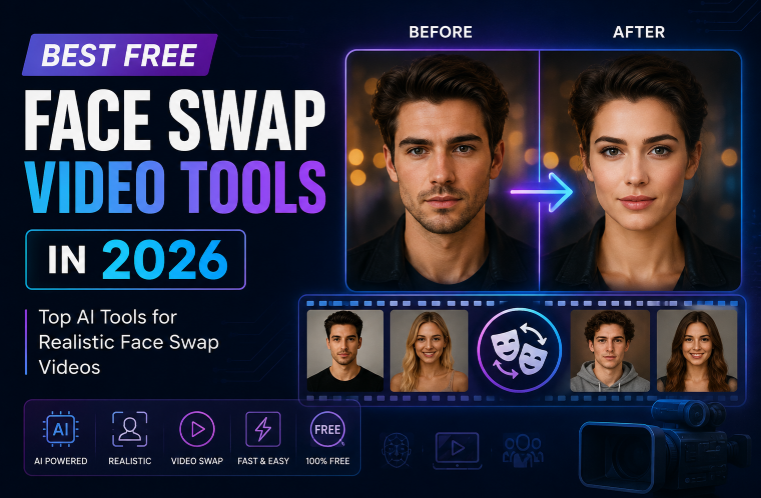
Face Swap Video Tools – Create realistic face swap videos online with advanced AI technology. Swap faces quickly, easily, and naturally.
AI face swapping has moved well beyond simple photo filters. In 2026, creators can replace faces in short videos, build entertaining social clips, test creative concepts, produce personalized content, and experiment with AI-generated media without learning complex editing software.
The challenge is finding a tool that is actually useful on video. A good face swap needs to maintain facial identity while handling movement, lighting, expressions, and different camera angles. Free plans also vary considerably: some require registration, others add watermarks, and some limit video length or resolution.
If you are searching for face swap video free tools, this guide compares seven options worth considering in 2026. The selection focuses on ease of use, video quality, free access, creative flexibility, and how well each platform fits modern AI content workflows.
At a Glance
| Tool | Best For | Free Access | Sign-Up |
| Magic Hour | Overall face swap video creation | Yes | Not required to try |
| Vidnoz | Beginners and quick online edits | Yes | Usually required for fuller access |
| AKOOL | Marketing and professional content | Limited/free credits | Yes |
| Reface | Mobile entertainment videos | Limited free use | App account may be required |
| Remaker AI | Quick browser-based face swaps | Free credits/trials | May vary |
| FaceFusion | Open-source users | Free software | No paid account |
| DeepFaceLab | Advanced desktop experimentation | Free/open source | No |
The best choice depends on what you actually want to create. For most people looking for an easy browser-based workflow, Magic Hour is the strongest starting point.
1. Magic Hour – Best Face Swap Video Overall
Magic Hour takes the top spot because it makes video face swapping remarkably straightforward while also offering a much broader AI creation environment.
You can upload a video and a face image, select the face you want to replace, and let the AI handle the tracking and replacement. It also supports multiple-face workflows, GIFs, images, talking photos, lip sync, image-to-video, and other AI creation tools.
One of the biggest advantages is accessibility. Magic Hour’s face swap video tool can be tried directly in the browser without requiring a complicated editing setup. Its free video face swap offering allows users to test the technology without signing up, although free outputs have limitations such as shorter clips, lower resolution, and watermarking.
Why Magic Hour Stands Out
Magic Hour is particularly interesting because face swapping is not treated as an isolated feature. It is part of a larger AI content workflow. For example, creators can start by creating or refining visuals with an ai image editor with prompt, then move those images into video, face swap, lip sync, or other AI-powered workflows without constantly switching between unrelated platforms.
Creators can move from an image to a video, create talking photos, generate lip-synced content, or experiment with different creative variations within the same ecosystem.
Other differentiators include:
- Strong face swap, lip sync, and talking-photo workflows
- No-signup access for trying the face swap tool
- Click-to-create templates
- Multi-step workflows that can connect generation, editing, and enhancement
- Access to multiple AI models and creative tools in one platform
- Fast variations and multiple takes
- Parallel generations on paid plans
- Frequent feature releases
- Desktop and mobile-friendly browser access
- API access for developers and production workflows
- Infrastructure designed for higher-volume creation
The platform’s pricing is also worth considering. The current pricing page lists a Free plan, Creator at $19/month or $12/month when billed annually, Pro at $39/month or $25/month annually, and Business at $99/month or $66/month annually. The paid tiers increase credits, output resolution, concurrent generations, upload limits, and production capabilities.
For example, the Creator plan includes 144,000 credits per year, 1024px exports, watermark-free output, commercial use, three concurrent generations, priority processing, larger uploads, and full API access.
Best For
Creators, social media managers, marketers, agencies, and anyone who wants face swapping plus other AI video and image tools in one place.
If your goal is simply to test a face swap video free, Magic Hour is the easiest place to start.
2. Vidnoz – Best for Beginners
Vidnoz is designed around accessible AI video creation, making it appealing to people who do not have much experience with professional editing software.
Its wider platform includes AI avatars, video creation, image-related tools, and other generative features. For users who want to experiment with AI-powered video rather than install desktop software, its browser-first approach is convenient.
The biggest advantage is simplicity. You do not need to understand masking, tracking, keyframes, or compositing to start experimenting.
Pros
- Beginner-friendly interface
- Browser-based workflow
- Multiple AI video capabilities
- Useful for social content and quick experiments
Cons
- Free usage can be limited
- Some advanced features may require a paid plan
- Output restrictions can vary between tools
Best For
Beginners who want an easy introduction to AI video editing and face-related effects.
3. AKOOL – Best for Marketing and Professional Content
AKOOL has built a broader AI media platform around content creation, avatars, face swapping, video generation, and related marketing applications.
It is particularly relevant to marketers and businesses because face swapping can be used for more than entertainment. For example, a brand might want to create localized creative variations, test different presenters, or develop personalized campaign assets.
Pros
- Professional-oriented AI media platform
- Face swap and avatar capabilities
- Useful for marketing workflows
- Suitable for experimenting with personalized video
Cons
- Advanced usage can become paid
- More features can mean a steeper learning curve
- Best suited to users who need more than a basic face swap
Best For
Marketing teams, agencies, and creators building commercial AI video campaigns.
4. Reface – Best for Mobile Entertainment
Reface is one of the better-known names in consumer face-swapping. Its focus is heavily centered around quick, entertaining transformations that can be shared through social media.
For someone who wants to put their face into a popular video or create a funny clip without dealing with a desktop editor, the mobile-first experience can be appealing.
Pros
- Easy to use
- Strong entertainment focus
- Mobile-friendly
- Good for short-form social content
Cons
- Free functionality is limited
- Many advanced features may require payment
- Less suitable for professional editing workflows
Best For
Casual users who primarily want fun face-swap videos for social media.
5. Remaker AI – Best for Quick Browser Experiments
Remaker AI offers a collection of AI image and video tools, including face-swapping functionality.
Its biggest strength is convenience. Rather than downloading specialist software, users can access AI editing features through a web interface and experiment with different content formats.
It can be useful when you want to create a quick face-swap experiment without building a complicated production workflow.
Pros
- Browser-based
- Multiple AI editing tools
- Useful for quick experiments
- Accessible to non-professional editors
Cons
- Free credits can be limited
- Output availability may depend on the current plan
- Advanced production workflows may require another editor
Best For
Creators who want quick AI editing experiments from a browser.
6. FaceFusion – Best Open-Source Option
FaceFusion takes a different approach from browser-based services. Instead of relying entirely on a hosted platform, it gives users an open-source route to face manipulation and related AI workflows.
This can be attractive to technically confident creators who want more control over their environment.
The trade-off is complexity. Installation, hardware requirements, model configuration, and troubleshooting can be considerably more demanding than using an online service.
Pros
- Open-source approach
- Greater control over the environment
- Useful for technical users
- No subscription required simply to access the software
Cons
- More complicated setup
- Hardware can affect performance
- Not ideal for beginners
- Requires more technical knowledge
Best For
Advanced users, developers, and creators who prefer local or open-source AI workflows.
7. DeepFaceLab – Best for Advanced Experimentation
DeepFaceLab has historically been associated with advanced face-swapping experimentation and has played an important role in the development of consumer-facing AI face manipulation workflows.
Its biggest advantage is control. Experienced users can work with a much more technical process than they would find in a simple web application.
However, that control comes with a learning curve. It is not the first choice for someone who simply wants to upload a video and receive a result within minutes.
Pros
- Powerful for advanced users
- Open-source ecosystem
- Highly customizable workflow
- Useful for technical experimentation
Cons
- Steep learning curve
- Requires more setup
- Hardware requirements can be significant
- Slower workflow for casual users
Best For
Experienced AI and video enthusiasts who want maximum control.
How We Chose These Tools
Choosing a face swap platform is about more than asking whether it has a free button. A tool can technically offer free face swapping while still being difficult to use or producing poor results.
For this list, we considered several practical factors:
- Video face-swap quality: Does the replacement face remain convincing as the subject moves?
- Ease of use: Can a beginner create a result without professional editing knowledge?
- Free availability: Can users genuinely test the tool without immediately paying?
- Output quality: Resolution and overall visual consistency matter for social and professional content.
- Speed: Fast generation makes it easier to create and test multiple versions.
- Creative workflow: Extra AI capabilities can be valuable when face swapping is only one part of a project.
- Accessibility: Browser-based tools are generally more convenient than complicated desktop installations.
- Editing flexibility: We looked for platforms that fit naturally into broader video and image workflows.
We also considered whether a platform works alongside other AI creation techniques. For example, someone may generate an image, refine it with an ai image editor with prompt, turn the image into a video, and then apply a face swap. The most useful tools increasingly support this kind of connected workflow.
How Face Swap Video Is Changing AI Content Creation
Face swapping is becoming part of a much larger shift in digital content production.
Previously, a creator might need a camera, actor, makeup, lighting, editing software, motion tracking, and hours of post-production to create a specific visual.
AI tools can reduce much of that production friction.
A creator might start with a still image, make adjustments using an ai image editor with prompt, animate the image, replace a face, add lip synchronization, and export several versions for different platforms.
This does not mean traditional production has become irrelevant. Rather, AI gives creators another layer of flexibility.
For marketers, that can mean more creative variations. For social creators, it can mean faster experimentation. For video teams, it can reduce the need for reshoots when a concept needs a visual change.
Market Trends in AI Face Swapping in 2026
The face-swapping market is moving in several interesting directions.
1. Face Swap Is Becoming Part of Larger AI Workflows
Standalone face-swapping tools are no longer the only option. Modern AI platforms increasingly combine face swap with image generation, video generation, lip sync, talking photos, upscaling, and editing.
That makes the entire content pipeline faster.
2. No-Signup Tools Are Becoming More Important
People want to test an AI tool before committing to an account or subscription. Free browser-based experiences reduce the barrier to experimentation.
Magic Hour, for example, allows users to try its video face-swap experience without signing up, although free usage has specific limitations.
3. Creators Want More Variations
AI makes it possible to create multiple versions of the same concept quickly. Instead of producing one video and hoping it performs well, creators can test different faces, hooks, scenes, and visual styles.
4. Multimodal Editing Is Growing
The boundaries between photo editing, video editing, image generation, and animation are becoming less obvious.
An editor might generate an image, refine it with an ai image editor with prompt, animate it, add a face swap, and finish the project with AI lip sync.
Platforms that connect these steps are likely to become increasingly valuable.
5. Responsible Use Matters More
Face-swapping technology can be creative and useful, but it also requires responsible use. Users should have permission to use identifiable people’s faces and should avoid creating deceptive, fraudulent, abusive, or non-consensual content.
The technology is powerful; how it is used matters just as much as how realistic the output looks.
Tips for Getting Better Face Swap Results
Even the best AI tool cannot completely compensate for poor source material. A few simple choices can make a noticeable difference.
Use a Clear Face Image
Choose a sharp, well-lit photo where the face is clearly visible. Magic Hour specifically recommends front-facing, well-lit source images for better results.
Match the Camera Angle
A source face looking directly at the camera will generally work better with footage where the target person is also relatively front-facing.
Avoid Heavy Motion
Extreme head turns, motion blur, strong shadows, and faces hidden by objects can make swapping more difficult.
Start With a Short Clip
Testing a short section before processing a longer video can save time and help you determine whether your source material is suitable.
Think About the Final Platform
TikTok, Instagram Reels, YouTube Shorts, and other platforms have different aspect ratios and compression characteristics. Plan the final format before creating a large number of variations.
Is Face Swap Video Free Really Free?
The answer depends on what you mean by “free.”
Some platforms provide completely free software but require technical setup. Others offer free browser tools but restrict video duration, resolution, credits, or commercial use.
Magic Hour is a good example of the distinction. Its free video face-swap tool can be used without signing up, but free videos have limits including shorter clips, up to 576p output, and watermarking.
Paid plans are designed for people who need higher resolution, more credits, commercial use, faster processing, or larger production capacity.
So before choosing a tool, check the actual free-tier conditions rather than relying only on the word “free.”
Final Thoughts
AI face swapping has become much more accessible in 2026. What once required complicated video-editing workflows can now be accomplished through simple browser-based tools.
The most useful platforms are also moving beyond face replacement. They combine face swap with image editing, video generation, lip sync, talking photos, templates, and other AI capabilities.
That is why Magic Hour earns the #1 position in this list. It is not simply about swapping one face for another; it is about making the entire AI content workflow faster and easier.
If you want to experiment without a complicated setup, start with a short clip, use a clear source photo, and test the free experience before deciding whether you need a paid plan.
FAQs
1. What is the best free face swap video tool in 2026?
Magic Hour is our top pick because it combines accessible video face swapping with a wider set of AI image and video creation tools.
2. Can I make a face swap video without signing up?
Yes. Magic Hour’s free video face-swap tool can be tried without signing up. Free usage has limitations on duration, resolution, and output features.
3. Is AI face swapping difficult for beginners?
Not necessarily. Browser-based tools such as Magic Hour, Vidnoz, and Remaker AI are designed to make the process much simpler than traditional manual editing.
4. How can I improve face swap quality?
Use a clear, well-lit face image and a video where the target face is visible. Avoid extreme angles, heavy motion blur, and strong obstructions.
5. Can face swapping be used for commercial content?
Some platforms allow commercial use on paid plans, while others have restrictions. Always check the specific platform’s current licensing terms before using generated content commercially.